Good locators can make or literally break a test. Some basic tips are provided below in order to create solid tests that are easy to maintain & rely upon. These tips are mainly provided for website testing. But some of the principles apply to mobile app testing, too.
Good element locators
- short and concise as possible to locate the element
- ability to locate the element if other elements around it change
- ability to locate the element if its properties change
Web Element Locator Strategies
- 1st, use html id as a locator if available (exception: dynamically generated IDs or IDs not available)
- 2nd, use xPath locators (over CSS locators)
- note the controversy! it is promoted by Saucelabs among others, to use CSS locators over xPath locators. However, the assumption is, that this advice is based on avoiding the kind of lengthy, brittle xPath locators like the ones generated by Selenium IDE record/playback tool. If writing short, concise xPath OR CSS locators, then both types can be easily read and be located equally as fast. The advantage of xPath locators is that they are more reliable when executing against multiple browsers.
xPath locators
Ugly xPath locators
Example xPath locator from browser “get xPath” functions or selenium IDE record tool:
/html/body/div/div/div/div/div/div[2]/div/div/div/div/div[2]/div/span
This kind of xPath locator is ‘brittle’
If one element around the element you are testing changes, then it is likely that the test will incorrectly identify the element you are looking for or fail all together.
Robust xPath locators
Example of a robust xPath locator that is likely to stand the test of being located if element(s) in its vicinity change:
//label[text()=‘Email’]/../input
This example is created by looking at the element we need (‘Email’ field), then looking around that element in the DOM to find something unique that is close by, without making reference to too many other elements.
Consider this xPath locator in the case that its properties change:
//div[@class=‘menu-item menu-item-active accordeon’]
To make this xPath locator more robust, we need to be more specific about what we actually need:
//div[contains(@class, ‘menu-item-active’)]
Use XPath ‘Contains’ function in order to check for only relevant attribute values.
Firefox tools
Add ons for Firefox to assist pin-point and test your web locators:
- Firebug
- Firepath
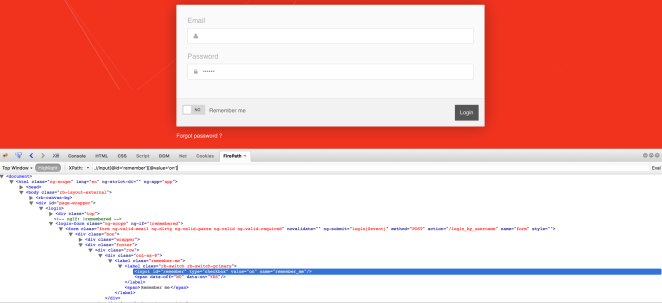
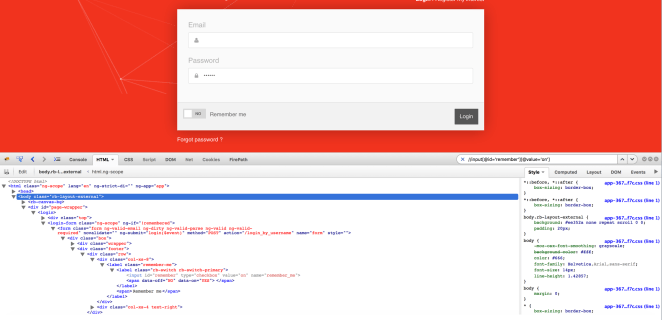
Steps to pin-point and test your web locator:
- Inspect the element
- See the automatically generated XPath locator in Firepath
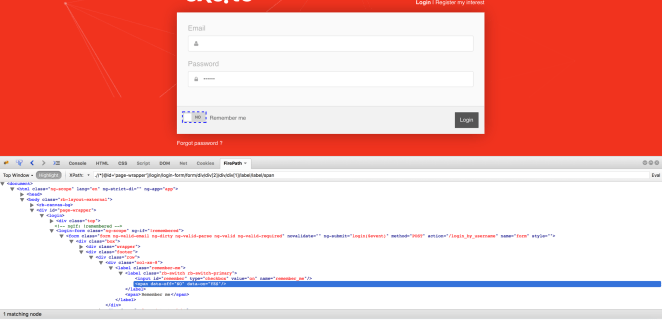
- Write your own XPath locator in Firepath & click Eval to test it
- Test the locator again, using Firebug HTML tab search field
 code on the road